

Published
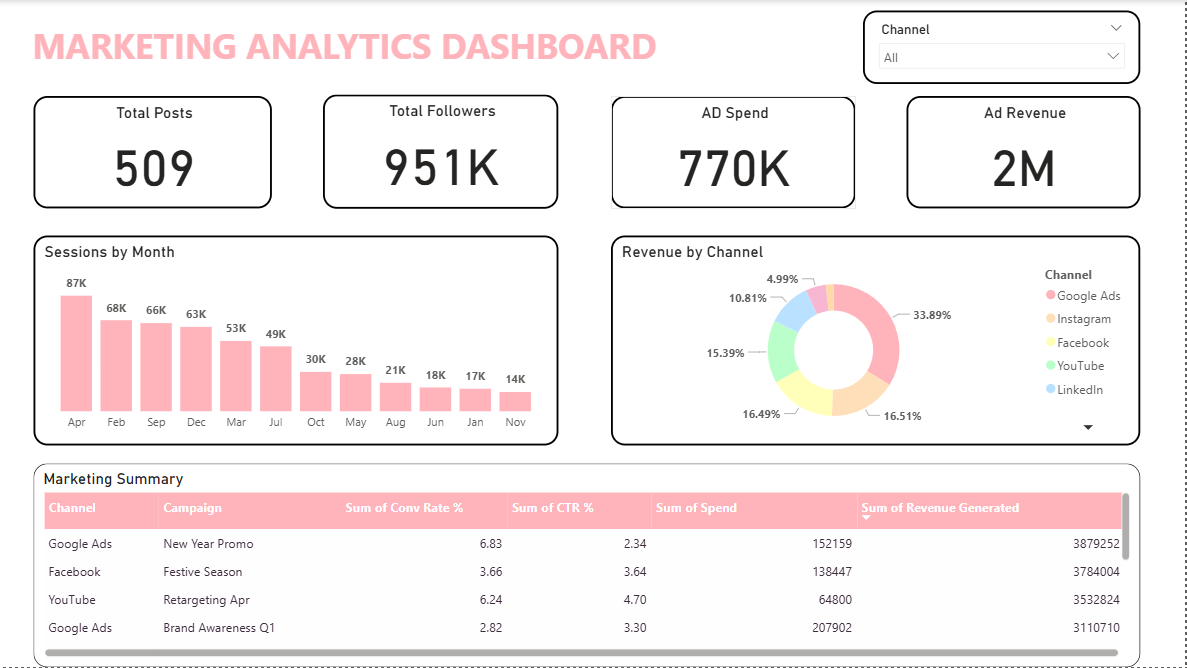
Track every marketing metric that matters with this comprehensive Marketing Analytics Power BI dashboard template. Built for Marketing Directors, CMOs, Digital Marketing Managers and Marketing Analysts who need a unified view of campaign performance, website traffic and social media ROI. This free Power BI marketing dashboard template covers multi-channel campaign performance, website analytics, social media metrics and marketing ROI — all in one interactive PBIX file with realistic sample data. Key metrics covered: - Campaign ROI and ROAS across all marketing channels - Google Ads, Facebook, Instagram, LinkedIn and email performance - CTR, CPL, CPC and conversion rate by campaign and channel - Website sessions, bounce rate, goal completions and conversion rate - Social media follower growth, engagement rate and reach - Monthly ad spend vs revenue generated - Organic vs paid vs social vs direct traffic breakdown - Marketing attribution analysis - Lead quality and conversion funnel metrics Who uses this dashboard: CMOs presenting marketing ROI to the board. Marketing Directors tracking multi-channel performance. Digital Marketing Managers monitoring daily campaign KPIs. Growth Analysts building attribution and funnel reports. Industries: SaaS, E-commerce, Education, Healthcare, Real Estate, Retail, B2B Services. How to use this Marketing Power BI dashboard: 1. Download the PBIX file from Briqlab 2. Open in Power BI Desktop 3. Connect to your marketing data (Google Analytics, Facebook Ads, HubSpot, Salesforce, Excel export) 4. Map campaign names, spend, impressions, clicks and conversions 5. Publish to Power BI Service for marketing team dashboards
Interactive Demo Available
Explore this dashboard live in Power BI
Category
Templates
Chart Types
Bar, Donut
Industry Types
Retail, Marketing
Main Colors
#FFB3BA
Mode
light
Version
Pro
Total Views
50
Total Downloads
1
PBIX File
🔑 Sign in to DownloadPBIT File
🔑 Sign in to DownloadOpen in Studio
🔑 Sign in to Open Studio
System Briqlab
System Briqlab
Skills