

Published
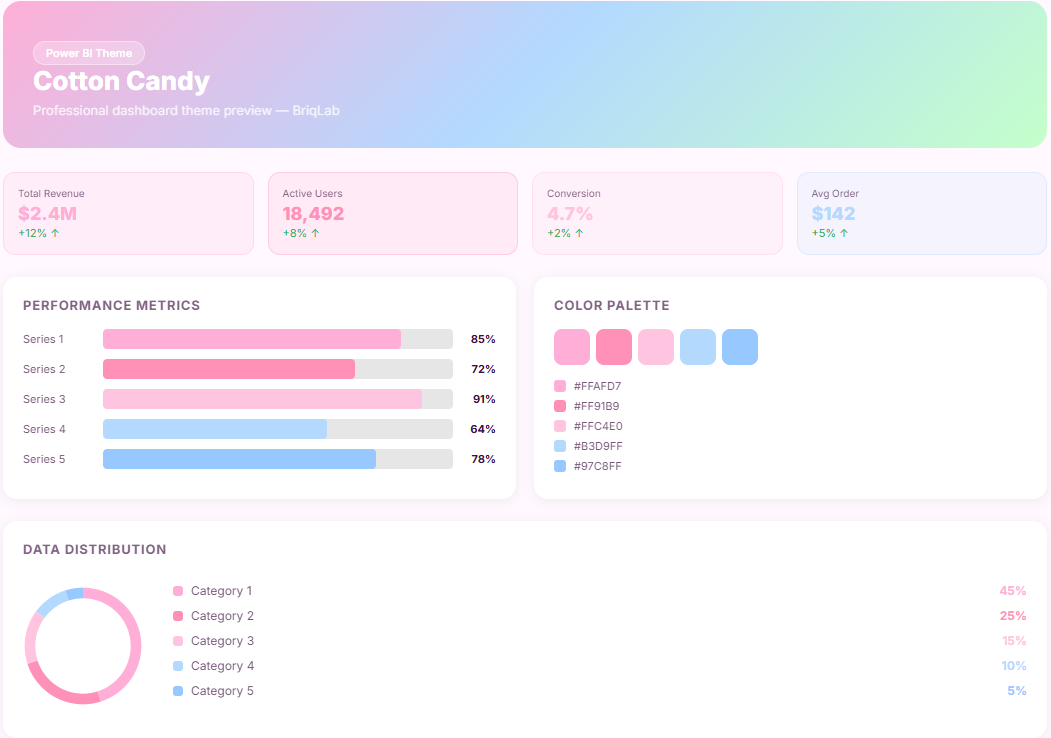
The Cotton Candy is a pastel pink Power BI theme designed for consumer brand, children's retail, and lifestyle dashboards where data needs to feel as warm, playful, and approachable as the audiences being served. This Power BI theme draws from a palette of soft pinks, lilac blushes, and light candy tones that bring a joyful, energetic character to every report visual without sacrificing clarity or readability. Gentle pastel layers sit against clean, airy backgrounds to create a layout that feels light and inviting — making KPI cards, trend lines, and category breakdowns feel naturally engaging for brand and marketing teams. Carefully balanced accent tones add structure and visual rhythm while keeping the overall aesthetic cohesive and on-brand. It is particularly well-suited to children's retail brands, toy companies, family lifestyle platforms, and consumer goods organisations building dashboards for sales performance, campaign analytics, audience engagement, and product range reporting. Beauty, wellness, and direct-to-consumer brands will find the palette equally aligned with their visual identity needs. The theme is delivered as a JSON file fully compatible with all versions of Power BI Desktop and simple to apply across your full report suite in seconds. Download this pastel pink Power BI theme, import the JSON file into Power BI Desktop, and give your consumer brand and lifestyle dashboards a playful, characterful identity that resonates with the audiences your business serves.
Category
Themes
Chart Types
Bar, Line, Pie
Industry Types
Retail
Main Colors
#FFF8FE
Mode
light
Version
Free
Total Views
33
Total Downloads
0
Open in Studio
🔑 Sign in to Open Studio
System Briqlab
System Briqlab
Skills